

Let’s be honest: creating and managing invoices shouldn’t feel like extra work. Whether you are billing a single customer, setting up recurring payments, or invoicing an entire group, you need the process to be quick and straightforward. We have upgraded the Invoices & Bills experience to do exactly that.
A Better Way to Create Invoices
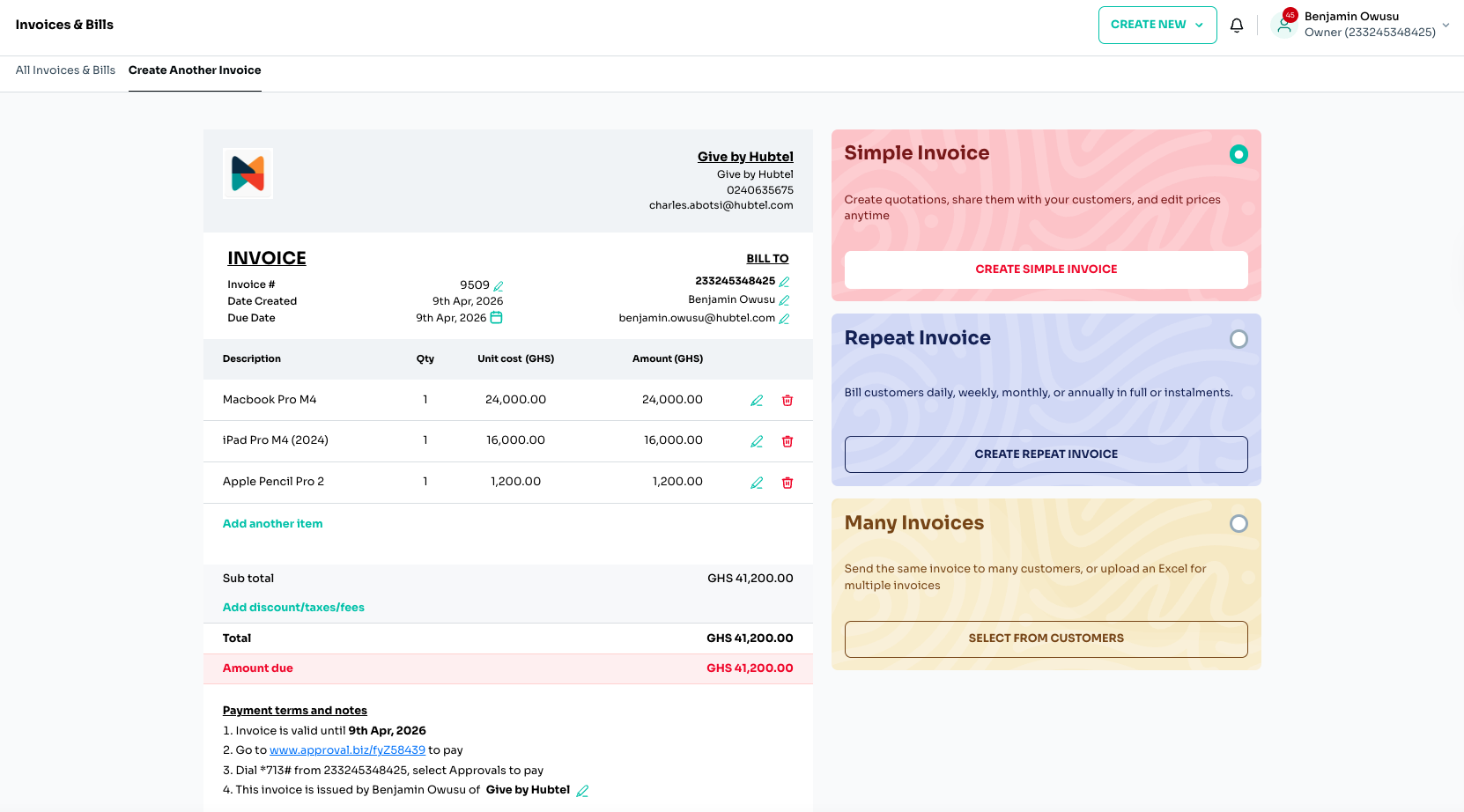
The invoice creation process is now smoother from start to finish, with all necessary fields organized in one view.
- Quickly add customer details under Bill To, enter invoice numbers, and set due dates.
- Add items with quantities and prices, and watch your totals update instantly as you work.
- Easily apply discounts, taxes, or additional fees without extra steps.
The Right Invoice for Every Need
One size no longer has to fit it all. You can now choose a specific invoice type based on how you bill your customers:
- Simple Invoice: Best for one-time purchases or single services, like a quick repair or consultation.
- Repeat Invoice: Ideal for recurring payments (daily, weekly, monthly, or yearly). This is perfect for high-value items, such as school fees or electronics, that customers pay for in instalments.
- Many Invoices (Group Billing): Designed for bulk billing. You can send the same invoice to a group or upload a list with different amounts, useful for charging rent to tenants or fees to a group of students.
Manage Everything in One Place
Once an invoice is created, you no longer need to switch between screens to track its progress.
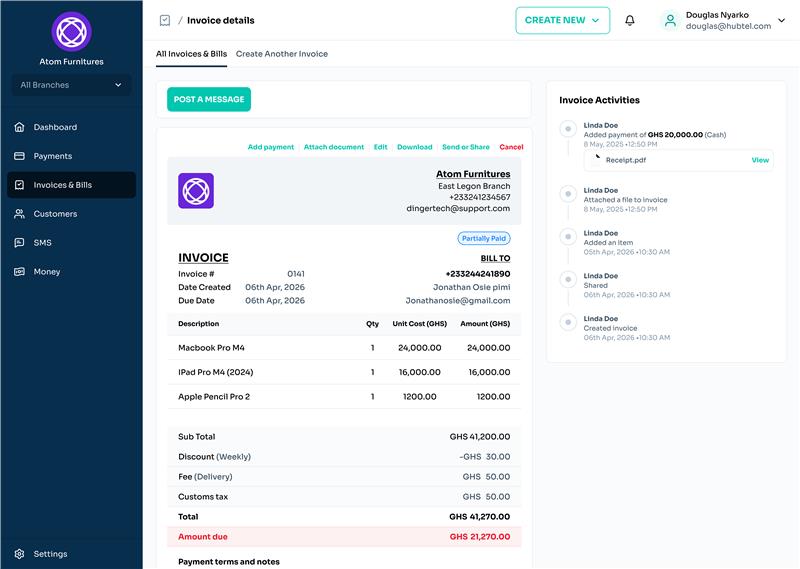
From a single view, you can now:
- Track Status: See instantly if an invoice is “Paid” or “Not Paid”.
- Log Manual Payments: Record payments made via cash or check so your records stay accurate.
- Monitor Activity: View a complete timeline of all activity related to that specific invoice.
- Share and Edit: Download, share, or attach necessary documents directly to the invoice.
Try it Out
The new Invoices & Bills experience is live. Log in today to see how these updates help you reduce errors and manage your billing with less stress.






Related
Introducing a New Way to Log Into Your BackOffice
April 10, 2026| 2 minutes read

Manage Your Money with Ease
April 10, 2026| 2 minutes read

Now, Pay Small Small for the Things You Love
December 23, 2024| 2 minutes read